Get More Google Reviews for Storage

Top 7 Google Review Ideas for Storage Facilities: Turn Happy Tenants Into Your Best Salespeople Quick Navigation Stop renting to strangers: Build a review flywheel at move-in Ask at the peak moment: Time your requests to tenant happiness spikes Make it one tap: Remove every ounce of friction from the review process Automate without sounding robotic: Triggered review requests that still feel personal Win the review battle on the phone: Scripts your front desk can use today Respond to every review: Why your replies generate more reviews Recover unhappy tenants before they review: Service recovery that protects your rating Why Generic “Just Ask for Reviews” Advice Fails Storage Operators Here’s the truth most marketing blogs won’t tell you: learning how to get more Google reviews for storage facilities is a completely different game than getting reviews for a restaurant or a plumber. A restaurant gets a review opportunity every single meal. You? You get a handful of genuinely emotional touchpoints across a tenant relationship that might last two years — the day they move in under stress, the day your manager saved them from a late fee, and the day they move out. Miss those moments, and you’re left with a trickle of reviews dominated by the angriest 2% of your customer base. Industry data suggests unhappy customers are roughly 2–3x more likely to review unprompted than happy ones — so your Google profile isn’t a reflection of your facility, it’s a reflection of whoever bothered to type. Meanwhile, research shows over 90% of consumers read online reviews before choosing a local business, and storage renters are no exception. They’re comparing you to the REIT down the road, and the facility with 214 reviews at 4.8 stars beats the one with 19 reviews at 4.9 stars almost every time. Volume and recency matter as much as the rating itself. This guide gives you seven specific, policy-safe strategies to build a steady stream of Google reviews — without bribing tenants, without violating Google’s terms, and without turning your managers into awkward salespeople. 1. Build a Review Flywheel That Starts at Move-In Why? Reviews compound — every new review makes your facility look safer, which wins more rentals, which creates more tenants to ask, which generates more reviews. Most operators treat reviews as a marketing task. The operators winning their markets treat reviews as an operations ritual, baked into the move-in process the same way a lease signature is. Think of it like a gym membership: everyone knows they should work out, but the people who get results are the ones who schedule it. Reviews have to be on the calendar, in the checklist, and attached to a trigger — or the ask won’t happen. Industry data suggests that businesses that ask for reviews systematically generate 5–10x more reviews per month than businesses that ask sporadically. For a 400-unit facility doing 25–35 move-ins a month, even a 25% conversion rate on review requests means 6–9 new reviews monthly — over 70 a year. Most of your competitors aren’t adding 70 reviews a decade. Here’s how to implement this: Add “review ask” as a line item in your move-in checklist. Right after “explain gate code” and before “hand over keys.” If it’s not on the checklist, it doesn’t exist. Define your trigger moments. Move-in day, first autopay enrollment, a successful service recovery, and move-out with a zero-balance account are your four golden windows. Assign ownership. One person — usually the property manager — owns the review number. Review it weekly like you review occupancy. Track requests sent vs. reviews received. You can’t improve a funnel you don’t measure. A simple spreadsheet works. Insider Tip: Don’t measure “reviews received” alone — measure reviews per 10 move-ins. This normalizes for seasonality so you can tell whether your process is improving even in slow months. A healthy facility converts 2–4 reviews per 10 move-ins. Takeaway: Reviews are an operations habit, not a marketing campaign. Put the ask on the move-in checklist and assign one owner to the number. [Link to: Reputation Management for Self Storage Facilities] 2. Ask at the Peak Moment of Tenant Happiness Why? Timing is everything — asking when satisfaction is highest can double or triple your conversion rate from request to published review. Storage has a weird emotional arc. Move-in day is stressful — the tenant is mid-divorce, mid-move, mid-flood, mid-something. They are not your review audience yet. But forty-five minutes later, when their unit is clean, the gate code works, and your manager just helped them pick the right lock? That relief is your moment. Behavioral research on the “peak-end rule” shows people judge experiences by their most intense moment and how they end — not by the average. Your review requests should ride those peaks. Research shows review requests sent within 24 hours of a positive interaction convert at dramatically higher rates than requests sent days later, because the emotional memory is still warm. The mistake most facilities make is asking at random — a mass email blast to all tenants in March, where the tenant furious about a rate increase gets the same request as the one who just praised your manager. Guess which one leaves a review. Here’s how to implement this: Trigger requests off events, not dates. Move-in +2 days, autopay signup, a compliment at the counter, a maintenance ticket closed same-day. Listen for the verbal cue. When a tenant says “thank you so much,” that is the ask. Train managers to respond: “That means a lot — would you mind saying that in a quick Google review? It genuinely helps our small business.” Wait 48 hours after move-in, not 48 minutes. Let them experience the facility actually working before asking them to vouch for it. Never ask during a dispute. If there’s an open billing issue, that tenant is off the ask list until it’s resolved. Insider Tip: Keep a “praise log.” When a tenant compliments the facility, jot their name down and send that
gbp qa photos posts storage

Top 7 Google Business Profile Posts & Features for Storage Facilities: Turn Q&A, Photos, and Posts Into Rentals Quick Navigation: Fill units with promos: Weekly Google Business Profile posts that push move-in specials Control the narrative: Seeding and owning your Q&A section Sell the facility visually: A photo strategy that builds trust before the visit Show, don’t tell: Video and virtual tour content that converts Win the response game: Q&A monitoring and answering best practices Post with a plan: Seasonal posting cadence and post-type strategy Measure what matters: Tracking GBP insights to double down on winners Most self storage owners treat their Google Business Profile like a phone book listing. Claim it, fill in the hours, maybe upload a photo of the front gate, and forget about it. Meanwhile, the REIT down the street — Public Storage, Extra Space, CubeSmart — has a corporate marketing team quietly feeding Google fresh posts, dozens of photos, and pre-loaded Q&A answers every single week. Here’s the uncomfortable truth: your GBP listing is often the first and sometimes the only impression a renter gets of your facility. Industry data suggests that more than half of local search actions — calls, direction requests, website clicks — happen directly from the Business Profile, without the searcher ever visiting your website. If your profile is a ghost town, renters assume your facility is one too. The good news? Google Business Profile posts for storage facilities are completely free, take less than 30 minutes a week, and are one of the few marketing channels where a single independent facility can genuinely out-execute a billion-dollar REIT — because you know your property, your tenants, and your town better than any corporate content team ever will. This guide shows you exactly how to use the three most ignored GBP features — posts, Q&A, and photos — to win more rentals from local search. 1. Post Weekly Move-In Specials as GBP Offer Posts Why? Consistent posting signals an active, trustworthy business to both Google and renters — and gives price-shoppers a reason to call you today instead of “sometime.” The biggest mistake storage owners make with Google Business Profile posts for storage facilities is not making them at all — and the second biggest is posting once, seeing no instant flood of calls, and quitting. Research shows that businesses posting weekly on GBP see measurably higher engagement — more calls, more direction requests — than businesses with stale profiles. Google has also confirmed that “prominence” and “activity” factor into local rankings, so a dead profile hurts you twice: once with the algorithm, once with the human comparing you to the competitor whose listing shows a fresh special. Think of GBP posts like the sign spinner on the corner, except it works 24/7 and only appears to people already searching for storage. A renter searching “storage units near me” is in buying mode. Seeing “$1 First Month” directly on your profile — before they even click — is often the nudge that turns a scroll into a call. Here’s how to implement this: Create an Offer post for your current move-in special. Include the discount, the unit size it applies to, and an expiration date. Urgency converts: “First month $1 on all 10×10 units — ends June 30” beats “Great rates!” every time. Add a real photo, not a stock image. A clean shot of an actual unit or your gate entrance outperforms generic graphics. Google’s own data indicates profiles with quality photos get significantly more direction requests. Use the “Call Now” or “Learn More” button and link it to your rental/reservation page — not your homepage. Every extra click costs you conversions. Republish weekly. GBP posts expire from prominent view after about seven days, so treat posting as a weekly habit, not a one-time project. Self Storage Pro Tip: Rotate between two or three pre-written offer templates so posting never requires creative energy on a busy Tuesday. Write them once in January, swap in the current special, and you’re done in five minutes. Consistency beats creativity here. Read more: Google Business Profile optimization for self storage facilities — the full eight-step setup guide. Takeaway: A weekly Offer post is the single fastest, cheapest way to make your GBP listing actively generate rentals instead of passively sitting there. 2. Seed Your Own Q&A Section Before Renters Do Why? If you don’t answer the questions renters care about, strangers, competitors, or an empty void will — and all three cost you rentals. The Q&A section is the most misunderstood feature on Google Business Profile. Anyone can ask a question. Anyone can answer one. That includes confused passersby, former tenants with a grudge, and — yes — competitors. Industry observers have documented cases of businesses whose Q&A sections carried wrong hours, wrong prices, and flat-out bad answers from random Google users, because the owner never showed up. Here’s the psychology: renters in the consideration stage have a short list of deal-breaker questions — gate hours, climate control, insurance requirements, truck access, security. Studies of local search behavior suggest that searchers who engage with Q&A content are further along in the buying journey than average browsers. They’re not browsing; they’re qualifying. If your profile answers those questions instantly and confidently, you’ve removed friction right at the decision point. Here’s how to implement this: Ask and answer your own questions. This is 100% allowed and is exactly what sophisticated operators do. Log in and post the 8–10 questions renters ask your front desk every week, then answer them thoroughly. Cover the deal-breakers first: “Do you have climate-controlled units?”, “What are your gate access hours?”, “Is there a security deposit?”, “Can I rent online?”, “Do you have RV/boat parking?”, “Is the facility fenced and gated?” Write answers like a salesperson, not a lawyer. “Yes — gate access is 6am to 10pm, 365 days a year, and we offer 24-hour access for commercial tenants upon request” beats a bare “Yes.” Upvote your own Q&As from a couple
local keyword strategy storage
Top 7 Service Area Pages vs. Location Pages Strategies: Build a Site Structure That Actually Ranks in Your Market Quick Navigation Know the difference: What service area pages and location pages actually are (and why Google treats them differently) Pick the right model: How to decide which structure fits your storage business Avoid doorway page penalties: Why thin, templated pages get filtered — and how to stay safe Optimize each page type: On-page tactics that make both page types rank Connect pages to your GBP: Linking your site structure to your Google Business Profile Link internally for authority: Site architecture that funnels ranking power to money pages Measure and iterate: How to know if your structure is working You typed “storage units near me” into Google from your office, and your facility shows up. Great. Then you drive 15 minutes down the road, try the same search, and you’re nowhere. Meanwhile, the REIT two towns over appears in both searches. Sound familiar? That invisible wall you just hit is a site structure problem — and it usually traces back to one decision most storage owners make by accident: how they built (or didn’t build) their service area pages vs. location pages. Generic SEO advice tells you to “create a page for every city you serve.” That advice will get your pages filtered, ignored, or worse. Storage is a hyperlocal, drive-time business, and Google knows it. This article breaks down the service area pages vs. location pages debate specifically for storage operators: what each page type actually does, which structure ranks better in which scenarios, and exactly how to build pages that win renters in every zip code you realistically serve — without tripping Google’s doorway-page alarms. 1. Understand the Real Difference Between Service Area Pages and Location Pages Why? If you don’t know what each page type is for, you’ll build the wrong thing — and Google will filter out the wrong thing. Here’s the core distinction. A location page represents a physical place where your business exists — your actual facility at 1234 Main Street. A service area page represents a place you serve but don’t have a physical address — the neighboring town whose residents store with you because you’re the closest decent option. In traditional local SEO, this distinction was invented for plumbers, HVAC companies, and roofers — businesses that travel to the customer. Storage flips that model: the customer travels to you. But the underlying SEO logic still applies, because renters search by their location, not yours. Industry data suggests that roughly 70% of storage customers choose a facility within a 15–20 minute drive of home — so every town within that drive-time radius is a search market you’re either competing in or ignoring. Here’s how to implement this: Audit what you have today. List every page on your site. Anything targeting a city where you have a physical facility is a location page. Anything targeting a city where you don’t is a service area page. Map searches to page types. Search “storage units [your city]” and “storage units [neighboring town]” in an incognito window. Note which pages rank — and which towns have no page at all. Define your real service area. Pull your last 100 move-ins from your management software and plot renter home zip codes. That’s your actual service area, not the one you imagined. Self Storage Pro Tip: Your management software is sitting on a goldmine. Run a move-in report filtered by renter home address for the last 12 months. The towns with 5+ renters and no dedicated page on your site are your highest-ROI page-building opportunities — you already have proof people there will rent from you. Takeaway: Location pages rank for where you are; service area pages rank for where your customers are. You almost certainly need both. See how to put these pages to work: ranking in the Google Map Pack for “storage units near me”. 2. Choose the Right Structure for Your Portfolio Size Why? A single-facility operator and a 12-location regional brand need completely different page architectures — copying the wrong one wastes money and dilutes rankings. The service area pages vs. location pages question has no universal answer. It depends on three variables: how many facilities you have, how close together they are, and how competitive each market is. Single facility: You need one strong location page (often your homepage doubles as it) plus 3–8 service area pages for the surrounding towns in your drive-time radius. Research shows local searches like “storage units [town name]” convert at 2–3x the rate of generic head terms — so each small town you cover is a high-intent funnel you’re currently leaving to competitors. Multi-facility, clustered (3+ facilities in one metro): This is where operators get into trouble. If your facilities are 10 minutes apart, building separate service area pages for the same suburbs creates pages that compete with each other. Google picks one and ignores the rest — usually not the one you’d prefer. Multi-facility, spread out: Each facility gets a full location page, and each facility gets its own ring of service area pages for its unique drive-time radius. No overlap. Here’s how to implement this: Draw the map. Put every facility on a map and draw a 20-minute drive-time circle around each one. Mark the overlaps. Any town inside two circles gets assigned to whichever facility is closer or has more availability — not both. Build one page per circle-town pairing. Town in Facility A’s circle only? One service area page on Facility A’s section of the site. Self Storage Pro Tip: For multi-site operators, structure your URLs as /locations/[city]/ for facility pages and /storage-units/[town]/ for service area pages. This clean hierarchy tells Google exactly which pages are real facilities vs. service coverage — and it makes reporting in Search Console far easier to read. Takeaway: Map your drive-time circles first. The map decides your structure — not your CMS default settings. 3. Avoid the Doorway
service area vs location pages

Top 7 Service Area Pages vs. Location Pages Strategies: Build a Site Structure That Actually Ranks in Your Market Quick Navigation Know the difference: What service area pages and location pages actually are (and why Google treats them differently) Pick the right model: How to decide which structure fits your storage business Avoid doorway page penalties: Why thin, templated pages get filtered — and how to stay safe Optimize each page type: On-page tactics that make both page types rank Connect pages to your GBP: Linking your site structure to your Google Business Profile Link internally for authority: Site architecture that funnels ranking power to money pages Measure and iterate: How to know if your structure is working You typed “storage units near me” into Google from your office, and your facility shows up. Great. Then you drive 15 minutes down the road, try the same search, and you’re nowhere. Meanwhile, the REIT two towns over appears in both searches. Sound familiar? That invisible wall you just hit is a site structure problem — and it usually traces back to one decision most storage owners make by accident: how they built (or didn’t build) their service area pages vs. location pages. Generic SEO advice tells you to “create a page for every city you serve.” That advice will get your pages filtered, ignored, or worse. Storage is a hyperlocal, drive-time business, and Google knows it. Working with a dedicated self storage SEO company that understands this distinction can save months of trial and error. This article breaks down the service area pages vs. location pages debate specifically for storage operators: what each page type actually does, which structure ranks better in which scenarios, and exactly how to build pages that win renters in every zip code you realistically serve — without tripping Google’s doorway-page alarms. 1. Understand the Real Difference Between Service Area Pages and Location Pages Why? If you don’t know what each page type is for, you’ll build the wrong thing — and Google will filter out the wrong thing. Here’s the core distinction. A location page represents a physical place where your business exists — your actual facility at 1234 Main Street. A service area page represents a place you serve but don’t have a physical address — the neighboring town whose residents store with you because you’re the closest decent option. In traditional local SEO, this distinction was invented for plumbers, HVAC companies, and roofers — businesses that travel to the customer. Storage flips that model: the customer travels to you. But the underlying SEO logic still applies, because renters search by their location, not yours. Industry data suggests that roughly 70% of storage customers choose a facility within a 15–20 minute drive of home — so every town within that drive-time radius is a search market you’re either competing in or ignoring. Here’s how to implement this: Audit what you have today. List every page on your site. Anything targeting a city where you have a physical facility is a location page. Anything targeting a city where you don’t is a service area page. Map searches to page types. Search “storage units [your city]” and “storage units [neighboring town]” in an incognito window. Note which pages rank — and which towns have no page at all. Define your real service area. Pull your last 100 move-ins from your management software and plot renter home zip codes. That’s your actual service area, not the one you imagined. Self Storage Pro Tip: Your management software is sitting on a goldmine. Run a move-in report filtered by renter home address for the last 12 months. The towns with 5+ renters and no dedicated page on your site are your highest-ROI page-building opportunities — you already have proof people there will rent from you. Takeaway: Location pages rank for where you are; service area pages rank for where your customers are. You almost certainly need both. Once your page structure is right, the next step is ranking it — see the full Map Pack ranking strategy for storage units near me. 2. Choose the Right Structure for Your Portfolio Size Why? A single-facility operator and a 12-location regional brand need completely different page architectures — copying the wrong one wastes money and dilutes rankings. The service area pages vs. location pages question has no universal answer. It depends on three variables: how many facilities you have, how close together they are, and how competitive each market is. Single facility: You need one strong location page (often your homepage doubles as it) plus 3–8 service area pages for the surrounding towns in your drive-time radius. Research shows local searches like “storage units [town name]” convert at 2–3x the rate of generic head terms — so each small town you cover is a high-intent funnel you’re currently leaving to competitors. Multi-facility, clustered (3+ facilities in one metro): This is where operators get into trouble. If your facilities are 10 minutes apart, building separate service area pages for the same suburbs creates pages that compete with each other. Google picks one and ignores the rest — usually not the one you’d prefer. For a full framework covering site architecture, GBP management, and content at scale, see the multi-location SEO guide for self-storage operators. Multi-facility, spread out: Each facility gets a full location page, and each facility gets its own ring of service area pages for its unique drive-time radius. No overlap. Here’s how to implement this: Draw the map. Put every facility on a map and draw a 20-minute drive-time circle around each one. Mark the overlaps. Any town inside two circles gets assigned to whichever facility is closer or has more availability — not both. Build one page per circle-town pairing. Town in Facility A’s circle only? One service area page on Facility A’s section of the site. Self Storage Pro Tip: For multi-site operators, structure your URLs as /locations/[city]/ for facility pages and /storage-units/[town]/ for service area pages. This
local citations storage business

Top 8 Local Citations for Storage Businesses Strategies: Clean Up Your NAP and Climb the Map Pack Quick Navigation Find every mention of your facility: Run a full citation audit before you build anything new Lock in your anchor citation: Perfect your Google Business Profile first Cover the big platforms: Build citations on tier-1 directories and data aggregators Go industry-specific: Get listed where renters actually search for storage Standardize everything: One NAP format, everywhere, no exceptions Fix the ghosts: Remove duplicates, old addresses, and dead phone numbers Earn unstructured citations: Local news, chambers, and sponsorships Stay clean forever: Set up a quarterly monitoring routine Why Local Citations Deserve Your Attention (More Than You Think) Want expert help cleaning up citations and building your local presence from scratch? Our self storage SEO services handle the full citation audit, cleanup, and ongoing maintenance. Here’s a scenario that plays out at storage facilities every single week. A renter searches “storage units near me,” finds your facility in the map pack, taps the phone number… and reaches a disconnected line. Or they drive to the address on Yelp — which is your old office entrance on the other side of the property. Or they see your facility listed as “ABC Storage,” “ABC Self Storage,” and “ABC Storage Solutions” on three different sites and wonder if you’re even a real business. That renter doesn’t call to ask which listing is right. They call your competitor. Industry data suggests that roughly 80% of consumers lose trust in a local business when they find inconsistent contact information online — and in self storage, where the entire purchase decision often happens in a single search session, lost trust is a lost rental. The Map Pack ranking guide for storage units near me covers exactly how citation consistency feeds into your local 3-pack position. This is why local citations for storage businesses aren’t a boring SEO checkbox. They’re the connective tissue between your facility and every renter trying to find you. Generic local SEO advice says “get listed in directories.” That advice was written for pizza shops and plumbers. Storage is different: you likely have one location serving a 3–5 mile radius, you’re competing against REITs with dedicated SEO teams (Public Storage, CubeSmart, Extra Space all have pristine citation profiles), and your facility may have changed names, owners, or phone systems over the years — leaving a trail of digital ghosts that actively suppresses your rankings. This guide gives you the exact system to audit, build, clean, and maintain your citations so Google trusts your data and renters can actually reach you. Let’s get into it. 1. Audit Your Existing Citation Footprint Before You Build Anything Why? You can’t fix what you can’t see — and most storage facilities have 20–60 citations already floating around the web that they never created. Every facility accumulates citations automatically. Data aggregators scrape public records, old phone books, business registrations, and other websites, then spit out listings on dozens of directories without you lifting a finger. Sounds helpful — until you realize research shows that the majority of local businesses have at least one significant NAP error (wrong name, address, or phone number) somewhere in their citation profile, and they have no idea it exists. Think of it like moving into a house the previous owner left mid-renovation. Before you paint a single wall, you need to know where the water damage is. Building fresh citations on top of a dirty foundation just creates more conflicting signals for Google to untangle. Here’s how to implement this: Google your facility name in quotes — e.g., “ABC Self Storage” plus your city — and log every listing you find in a spreadsheet (URL, name shown, address shown, phone shown). Search for old versions of your business — previous names, previous phone numbers, the prior owner’s entity name. If your facility was ever rebranded or sold, these legacy listings are almost certainly still live. Run a free citation scan using tools like Moz Local, BrightLocal, or Whitespark to catch listings manual searching misses. Score each listing as Correct, Needs Update, Duplicate, or Can’t Access (yet). Self Storage Pro Tip: Don’t forget your phone number history. If you’ve ever used a call-tracking number, switched from a landline to a VoIP system, or had a different line for your kiosk, search for those old numbers directly. A stale tracking number indexed on a high-authority directory is one of the most common — and most damaging — citation errors we see in storage audits. Takeaway: A 2–3 hour audit gives you a master citation spreadsheet that becomes the blueprint for everything else in this guide. 2. Perfect Your Google Business Profile — Your Anchor Citation Why? Your GBP is the single most important citation on the internet; industry data suggests it influences roughly a third of local pack ranking factors, and it’s the listing renters actually interact with. Every other citation on the web exists, in part, to corroborate what your Google Business Profile says. Google cross-references your GBP against hundreds of sources to decide whether your facility is legitimate and where it should rank. If your GBP says “Suite B” and half your citations say “Ste. B” and the other half omit it, you’re introducing doubt into the algorithm — and doubt costs you map pack positions. For storage facilities specifically, the GBP is where the rental journey often starts and ends: direction requests, phone calls, and website clicks all flow through it. Understanding the Google Maps ranking factors for storage searches helps you know exactly which GBP signals carry the most weight. For everything inside your GBP dashboard, see the full Google Business Profile optimization guide for self storage. Here’s how to implement this: Claim and verify your listing if you haven’t (postcard, phone, or video verification). Set your official NAP exactly — business name with no keyword stuffing (“ABC Self Storage,” not “ABC Self Storage — Cheap Units in Dallas”), your physical street address, and
gbp categories attributes storage

Top 7 Google Business Profile Categories for Storage Facilities: Get Found by Renters Who Are Ready to Book Quick Navigation Nail your primary category: Why “Self-storage facility” is non-negotiable Stack secondary categories strategically: Capture moving, RV, boat, and records-storage searches Match categories to your actual inventory: The relevance rule Google enforces Turn on every attribute that applies: Win the “filter click” before renters even call Build out your Services section: Feed Google the keyword data categories can’t Audit competitor categories: Steal what’s working from the facilities outranking you Keep categories in sync with citations: Avoid the consistency trap that tanks rankings Other Google Business Profile questions: Rapid-fire answers FAQs: Everything else storage owners ask about GBP categories How to get started: Your 30-minute action plan Here’s a frustrating scenario that plays out at storage facilities every single day: a renter three miles away pulls out their phone, types “climate controlled storage near me,” and Google shows them your two competitors — but not you. Your facility is newer. Your prices are better. Your reviews are solid. And you’re invisible. Nine times out of ten, the culprit isn’t your website or your review count. It’s a setting buried in your Google Business Profile that takes about four minutes to fix: your categories. Our self storage SEO agency audits and fixes GBP settings like these as part of every engagement. Choosing the right Google Business Profile categories for storage facilities isn’t a “set it and forget it” checkbox. Google uses your primary and secondary categories as the single biggest relevance signal for deciding which searches your facility is eligible to appear in. Pick the wrong primary category — or leave secondary categories empty — and you’ve essentially told Google, “Don’t show me for those searches.” Industry data suggests that the local pack drives roughly 44% of all clicks on local search results pages, and category relevance is one of the top three ranking factors for getting into that pack. That’s too much traffic to lose over a dropdown menu. Generic local SEO advice says “choose the category that best describes your business.” That’s useless for storage operators, because you don’t have one business — you have five or six revenue streams (household storage, vehicle storage, moving supplies, truck rentals, records storage) living under one roof. This guide walks you through exactly which categories, attributes, and services to configure, why each one matters, and how to audit what your competitors are doing so you can outmaneuver them. 1. Set Your Primary Category to “Self-Storage Facility” — No Exceptions Why? Your primary category carries more ranking weight than every other category combined, and it determines which searches you’re even eligible for. Your primary category is the single most important field in your entire Google Business Profile. Research shows that local SEO practitioners consistently rank primary category as the #1 local pack ranking factor — above reviews, above proximity, above your website. For a storage business, the correct primary category is almost always “Self-storage facility.” Not “Storage facility.” Not “Moving company.” Not “Warehouse.” Here’s why this matters: Google matches categories to search intent. When someone searches “storage units near me,” Google strongly favors profiles whose primary category is Self-storage facility. A profile with a mismatched primary category may not even be considered. It controls your feature set. Your primary category determines which attributes, booking buttons, and profile features Google makes available to you. Storage facilities get different options than moving companies or warehouses. It shapes the map pack label. The category shows up in your listing and influences the “justifications” Google displays (those little “Their website mentions climate-controlled storage” snippets). Here’s how to implement this: Log into your Google Business Profile and click Edit profile → Business category. Confirm your primary category reads exactly “Self-storage facility.” If it says anything else — “Storage facility,” “Warehouse,” “Moving and storage service” — change it now. Multi-location operators: verify this on every location profile individually. Categories don’t cascade between locations. Self Storage Pro Tip: If your facility does serious truck rental volume (Penske/U-Haul dealership), resist the urge to make that your primary category. Truck rental searches have a fraction of the intent value of storage searches, and your storage occupancy pays the bills. Keep “Truck rental agency” as a secondary category at most. Takeaway: Audit your primary category today. If it isn’t “Self-storage facility,” you’re filtering yourself out of your most valuable searches. For the full GBP setup beyond categories, see GBP optimization for self storage facilities — covering verification, photos, posts, and reviews. 2. Stack Secondary Categories to Capture Every Revenue Stream Why? Secondary categories unlock eligibility for additional search verticals without diluting your primary ranking signal. Think of your primary category as your main job title and secondary categories as your side hustles listed on a resume. Google lets you add up to nine additional categories, and each one opens the door to a new set of searches. According to industry data, businesses with 3–4 well-chosen additional categories appear for meaningfully more keyword variations than single-category profiles — without any measurable penalty to their primary category rankings. For storage facilities, the highest-value secondary categories are: RV storage facility — essential if you have outdoor or covered parking. RV storage renters search separately and stay longer. Boat storage facility — same logic, especially near lakes, coasts, and marinas. Moving company — only if you genuinely offer moving services, not just “we sell boxes.” Truck rental agency — if you’re a U-Haul, Penske, or Budget dealer. Records storage facility — for facilities with document/business records storage. Moving supply store — if you operate a real retail counter with boxes, locks, and packing materials. Automobile storage facility — for classic car, seasonal, or indoor vehicle storage. Cold storage facility — rarely applies, but relevant for a small number of operators. Here’s how to implement this: Walk your property (literally) and list every distinct service a customer can pay for. Cross-reference that list against the categories above. Add every
Reputation Management for Storage

Top 8 Reputation Management for Self Storage Strategies: Turn Reviews Into Rentals Win the click before the call: Claim and fully optimize every review profile Build a review engine: Generate a steady stream of fresh Google reviews Respond to everything: Turn review replies into a public sales pitch Defuse the one-stars: Handle negative reviews without losing the argument Watch the dashboard: Monitor mentions before they become problems Put proof everywhere: Leverage reviews on your website, ads, and signage Train the front line: Create five-star moments at the counter Out-reputation the REITs: Benchmark competitors and charge what you’re worth Let’s be honest about something. When a renter searches “storage units near me,” they don’t compare your gate hours or cylinder locks first — they compare star ratings. Research shows roughly 9 in 10 consumers read online reviews before choosing a local business, and most won’t consider one rated below four stars. In self storage — where the customer hands you their grandmother’s furniture and their tax documents — trust is the entire product. Your reputation isn’t a marketing asset. It IS the product. And here’s the part that stings: the big REITs have dedicated teams managing thousands of reviews. Public Storage and Extra Space aren’t winning because their facilities are five times better — they’re winning because reputation management for self storage is a system for them, not an afterthought. Most independents treat reviews like weather: something that just happens to them. That’s actually good news. Reputation is one of the few battlegrounds where a single-facility operator can beat a billion-dollar competitor, because your reviews can be more personal, more recent, and more genuinely local. Generic advice like “ask for reviews” won’t cut it — this guide gives you the full operating system. 1. Claim and Fully Optimize Every Review Profile Why? Your Google Business Profile is your real storefront — for most renters, it makes more first impressions than your actual sign. Here’s the uncomfortable truth: you already have a reputation online, whether you manage it or not. Google, Yelp, Facebook, Apple Maps, and Bing have all created listings for your facility, and renters are reviewing them right now. Industry data suggests the local pack captures over 40% of clicks for “near me” searches — and your star rating is the biggest factor in whether you get that click or the facility half a mile away does. Think of your review profiles like your front office. You’d never leave it unlocked, cluttered, unstaffed — yet that’s what an unclaimed, half-empty Google profile looks like to a renter. Here’s how to implement this: Claim your Google Business Profile first — this is 80% of the battle. Verify ownership, then complete every field: categories, hours, attributes, photos, keyword-rich description. Audit the secondary platforms: Yelp, Facebook, Bing Places, Apple Maps, Nextdoor. Claim each and merge or remove duplicates, which confuse Google’s algorithm. Standardize your NAP (name, address, phone) across every listing. Even “St.” vs. “Street” inconsistencies can dilute local ranking signals. Upload real photos monthly — clean units, wide drive aisles, your manager smiling. Fresh photos drive significantly higher engagement than stale ones. Self Storage Pro Tip: Your Google Business Profile “Q&A” section is open to anyone — including competitors and trolls. Seed it yourself by posting and answering your five most common pre-rental questions (“Do you require insurance?”). You control the narrative before anyone else writes it. Read more: how to fully optimize your Google Business Profile for self storage — the foundation every review strategy is built on. Takeaway: You can’t manage a reputation you don’t own. Claim every profile, complete every field, and treat your Google listing like your highest-traffic salesperson — it is. 2. Build a Review Generation Engine (Not a Review Trickle) Why? Review velocity — the steady flow of new reviews — matters almost as much as your star rating, for rankings and renter trust alike. Most storage operators ask for reviews the way they remember to change the HVAC filter: sporadically, guiltily, and usually after something goes wrong. The result is a profile with 14 reviews, the newest from 2022. Research shows that nearly half of consumers only trust reviews written within the past month. A 4.8-star profile with old reviews loses to a 4.6-star profile with fresh ones, almost every time. Google’s algorithm agrees: industry data suggests review signals account for roughly 15–20% of local pack ranking factors, with recency a meaningful chunk. The operators who dominate don’t ask harder — they ask systematically, at the moments customers are happiest. Here’s how to implement this: Identify your three “happiness moments”: right after move-in, after a gate-access fix or autopay setup, and at move-out if they’re leaving happy. These are your ask windows. Automate the ask by text. SMS is opened at rates north of 90% — dramatically better than email. Send this 2–4 hours after move-in: “Hi [Name], welcome to [Facility]! If we made your move-in easy, would you mind leaving us a quick Google review? It takes 60 seconds and means the world to our small team: [link]” Use your direct review link. Save the short Google review URL in your manager’s phone, email signature, and move-in paperwork. Set a velocity target. Aim for 4–8 new reviews per month. Consistency beats a one-time burst of 30 (which can trip Google’s spam filters). Self Storage Pro Tip: Never incentivize reviews with discounts or gifts — it violates Google’s policies and can get your profile penalized. Instead, incentivize your team: a $10 coffee card for every review naming a staff member keeps the ask alive without buying a single review. Read more: how review velocity impacts your Map Pack ranking for storage units near me. Takeaway: Stop begging for reviews at random. Build the ask into your move-in workflow, automate it, and keep fresh reviews flowing every month. 3. Respond to Every Review Like It’s a Sales Pitch Why? Your review responses aren’t written for the reviewer — they’re written for the hundred future renters
rank map pack storage units near me
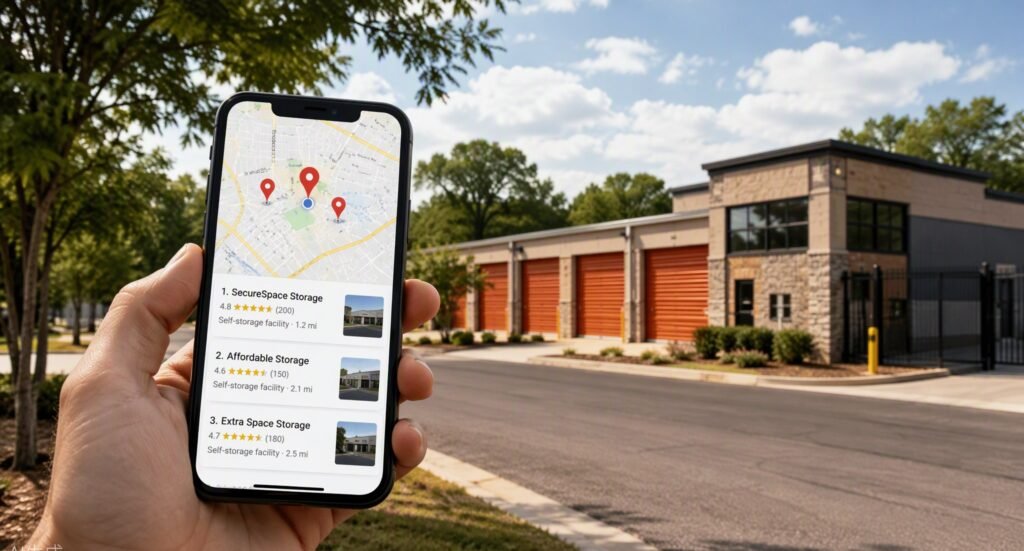
Top 8 Storage Units Near Me Ranking Strategies: Own the Google Map Pack Quick Navigation: Win more clicks instantly: Perfect your Google Business Profile categories and attributes Beat the distance penalty: Fight proximity bias with smarter location pages Build the trust engine: Generate a steady stream of keyword-rich reviews Clean up your digital footprint: Fix NAP inconsistencies and build local citations Feed Google the right signals: Optimize on-page local SEO and schema markup Stay active or get buried: Use photos, posts, and Q&A as ranking fuel Earn local authority: Build links and mentions that REITs can’t replicate Measure what matters: Track your Map Pack position with geo-grid tools Why “Storage Units Near Me” Is the Only Search That Really Matters Here’s a truth that might sting: nobody shops for storage the way they shop for shoes. Nobody browses twelve websites, reads comparison blogs, and signs up for your newsletter. When someone’s moving, divorcing, downsizing, or drowning in clutter, they pull out their phone, type “storage units near me,” and call one of the first three facilities Google shows them. That’s the entire customer journey for a massive chunk of your rentals. And Google’s Map Pack — those three business listings with the map at the top of local search results — is where that decision gets made. Research shows that roughly 44% of clicks on a local search results page go to the Map Pack, while the #1 organic result below it gets a fraction of the attention. Industry data suggests that around 76% of people who run a “near me” search visit a business within 24 hours, and storage is one of the most urgent, high-intent categories in all of local search. That’s why generic “improve your SEO” advice won’t help you. Improving your storage units near me ranking isn’t about blogging more or stuffing keywords into your homepage. It’s about understanding the specific local ranking factors Google uses to decide which three facilities deserve those golden Map Pack slots — and systematically beating the REIT down the street on each one. Here’s exactly how to do it. 1. Perfect Your Google Business Profile Categories and Attributes Why? Your Google Business Profile (GBP) is the single biggest lever you control for storage units near me ranking — it’s the data source Google trusts most for Map Pack results. Your GBP is like your facility’s driver’s license in Google’s eyes. If the information on it is wrong, incomplete, or vague, Google simply won’t trust you enough to put you in front of ready-to-rent customers. Studies suggest that complete, fully optimized business profiles get up to 7x more clicks than incomplete ones, and in a category where most competitors set up their profile once in 2019 and never touched it again, this is low-hanging fruit with real revenue attached. The psychology here is simple: Google is a matching engine. When someone searches “climate controlled storage near me,” Google scans profiles for facilities that say they offer climate control. If your profile doesn’t explicitly claim it, you don’t exist for that search — even if half your units are climate controlled. Here’s how to implement this: Set your primary category to “Self-storage facility” — not “Storage facility,” not “Moving company.” The primary category carries the most ranking weight. Add every relevant secondary category: “Automobile storage facility,” “Boat storage facility,” “RV storage facility,” “Records storage facility,” “Moving and storage service” — only ones that genuinely apply. Fill in every attribute Google offers: climate control, 24-hour access, drive-up access, security cameras, online bill pay, wheelchair accessibility. Each attribute is a ranking hook for a filtered search. Write a keyword-informed business description. Include “storage units,” your city name, and your differentiators naturally in the 750-character field. Verify your business name is your real-world name. No keyword stuffing like “Joe’s Storage — Cheap Storage Units Dallas” (more on that trap later). Self Storage Pro Tip: Check which categories your top-3 Map Pack competitors use by viewing their profile in Google Maps and looking at the categories listed under their name. If a REIT competitor ranks with a secondary category you’re missing — like “RV storage facility” — adding it can flip a ranking within weeks. Read more: Google Business Profile Optimization for Self Storage Facilities and GBP Categories, Attributes & Services Every Storage Facility Needs. Not sure where your GBP stands? Our self storage SEO company audits every profile setting as part of a free review. Also: if you’re wondering how long it actually takes for all of this GBP work to produce real rentals, the self storage SEO timeline guide breaks it down phase by phase with honest benchmarks. And if you’re a strong independent going up against CubeSmart, Public Storage, or Extra Space in your market, read the guide to outranking REITs in local search — it covers the exact structural advantages independents have in the Map Pack. Finally, if you’re debating how much budget to put into SEO versus aggregators and paid ads, the local vs. national SEO guide for storage operators clarifies which approach generates the most rentals for the least spend. Takeaway: A fully built-out GBP is the foundation of every Map Pack win — spend one focused hour on it before anything else on this list. 2. Beat the Distance Penalty with Smarter Location Pages Why? Proximity is the one ranking factor you can’t fake — but you can expand the radius where Google considers you relevant. Here’s the uncomfortable reality of local search: Google heavily weights how close your facility is to the searcher. Industry research consistently shows proximity is one of the top Map Pack ranking factors. For the full location page strategy, see service area pages vs. location pages for storage SEO, and it’s why your storage units near me ranking can look great when you search from your office and terrible from a neighborhood three miles away. Rural operators have unique challenges here — see local SEO for rural storage facilities for small-market-specific tactics. Storage
google business profile storage
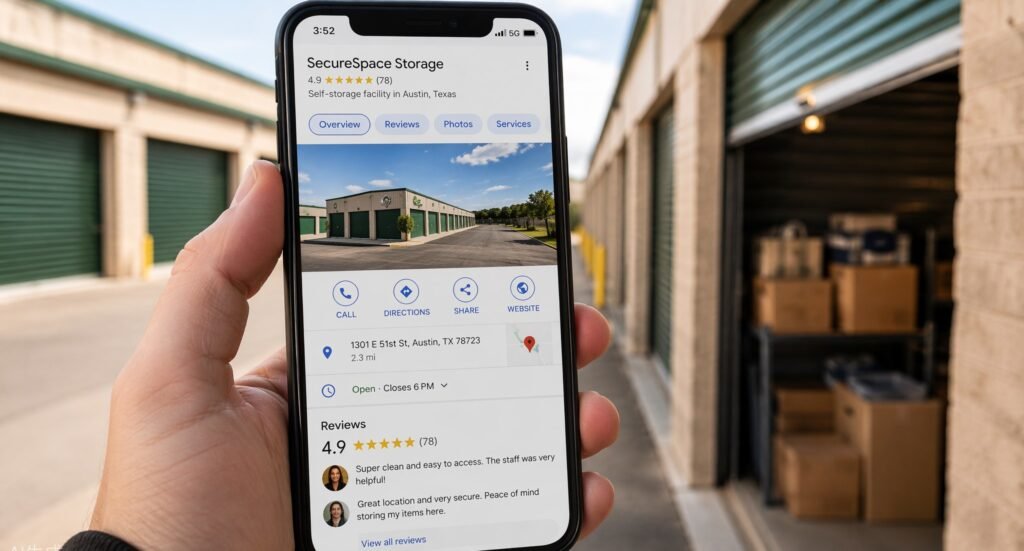
Top 8 Google Business Profile for Self Storage Ideas: Turn Maps Searches Into Rentals Quick Navigation Own the Map Pack: Verify, claim, and lock down your profile foundation Choose Categories That Win Rentals: Primary and secondary category picks Write a Converting Description: The 750-character elevator pitch Photos That Sell Units: The visual strategy REITs can’t replicate Reviews as a Rental Engine: Generate, respond, leverage social proof Posts, Q&A, Messaging: Engagement features nobody uses (but should) Attributes, Services & Products: Fill every field Google gives you Track, Measure, Maintain: GBP performance monitoring and upkeep You’re paying for a website, maybe running Google Ads, possibly dabbling in social media — and meanwhile, the single highest-converting asset you own is sitting half-finished with a blurry photo of a gate keypad from 2019. Our self storage SEO service optimizes your entire GBP from the ground up, so every section works for you. For operators running multiple facilities, see multi-location storage SEO to learn how to manage GBP systematically across an entire portfolio without losing consistency. Here’s the reality of how people rent storage: they pull out their phone, type “storage units near me,” and pick one of the three facilities in the Google Map Pack. Industry data suggests the Map Pack captures the majority of clicks for local storage searches — often more than organic results and paid ads combined. And what feeds the Map Pack? Your Google Business Profile. Generic “optimize your online presence” advice won’t move the needle. You don’t need clicks — you need phone calls that turn into move-ins, direction requests from people standing in a half-packed living room, and a profile that beats the REIT down the street with the corporate marketing department. The good news: Google Business Profile for self storage is one of the few channels where a well-optimized independent can flat-out beat Public Storage, CubeSmart, and Extra Space — because Google rewards relevance, proximity, and engagement, not budget. This guide walks you through the eight highest-impact optimizations, in the order you should do them, with exact steps to implement each one today. 1. Claim, Verify, and Lock Down Your Profile Foundation Why? An unverified or incorrectly set-up profile is invisible in the Map Pack — and visible-but-wrong information actively costs you rentals. Research suggests around 40% of small local businesses have unclaimed or duplicate Google Business Profiles. Google auto-generates profiles for businesses it detects, and if you’ve never claimed yours, Google is guessing at your hours and phone number — and letting random users suggest edits. That’s how facilities end up showing “permanently closed” after a competitor or confused customer flags them. Here’s how to implement this: Search your facility name on Google Maps. If a profile exists, click “Own this business?” and complete verification (phone, email, video, or postcard). Search for duplicates. Look up your address, old business names, and variations (“ABC Storage,” “ABC Self Storage,” “ABC Mini Storage”). Request removal of every duplicate — duplicates split your reviews and ranking power. Audit your NAP — Name, Address, Phone must match your website and every directory listing character for character. Set your primary phone number to a tracked line (more on call tracking in section 8) with your permanent local number as secondary, preserving NAP consistency. Set accurate hours — office hours vs. gate access hours. If your office is staffed 9–6 but gate access runs 6 AM–10 PM, say so in your description and Q&A. Mismatched expectations generate one-star reviews. Self Storage Pro Tip: Check who has manager access to your profile. Former managers, old agencies, and ex-employees often retain access — and can edit or delete your listing. Remove anyone who shouldn’t be there. We’ve seen facilities lose months of reviews to a disgruntled former employee with lingering access. Takeaway: Ownership and accuracy come first. Every later optimization is wasted if your foundation has duplicates, wrong hours, or a dead phone number. For the full citation audit and NAP cleanup process, see local citations and NAP consistency for storage businesses. And if you’re tired of paying aggregators a cut of rentals that should be coming directly to you, the SEO vs. SpareFoot guide shows how to reclaim that demand through search. Going head-to-head with Public Storage or CubeSmart? The REIT outranking playbook breaks down the specific tactics independent facilities use to beat corporate brands in local search — especially in the Map Pack. 2. Choose Categories That Actually Win Rentals Why? Your primary category is the single strongest relevance signal you control — get it wrong and you’re competing in the wrong race entirely. Industry data places primary category selection among the top three local ranking factors, yet a remarkable number of storage facilities are categorized as “Moving company” or even “Warehouse” because they never touched the setting. Google is a matching engine: when someone searches “climate controlled storage near me,” it looks for profiles signaling climate control. If your category is generic and your competitor’s is precise, they win the match even with a worse facility. Here’s how to implement this: Set your primary category to “Self-storage facility.” This is the money category. Don’t get cute with it. Add every relevant secondary category. Common winners: “Storage facility,” “Moving and storage service,” “RV storage facility,” “Boat storage facility,” “Automobile storage facility” — but only categories for services you genuinely offer. Claiming “RV storage” for three informal gravel spots invites bad reviews and Google’s distrust. Spy on the competition. Search “storage units near me” near your facility and note the top three Map Pack competitors’ categories. Match what wins. Revisit after adding services. Start offering vehicle or wine storage? Add the category the day the service goes live, not six months later. Takeaway: “Self-storage facility” as primary, plus honest secondary categories for every real service line. Ten minutes of work; Map Pack visibility can shift within weeks. For the complete category and attribute list with implementation steps, see the GBP categories and attributes guide for storage facilities. 3. Write a Business Description That
rank new storage facility

Top 8 SEO for New Storage Facilities Strategies: Rank Before You Even Open Quick Navigation Stake your claim: Launch a “coming soon” website the day you break ground Win the map: Set up and pre-seed your Google Business Profile Build trust signals: Lock down citations and NAP consistency before launch Own your town: Publish location content that ranks while you’re still building Capture demand early: Turn construction buzz into a waitlist of renters Borrow authority: Earn local backlinks and press around your development Start reviews at soft opening: Engineer five-star momentum from day one Measure everything: Set up tracking and benchmarks before you spend a dollar Why SEO for New Storage Facilities Is a Completely Different Game Here’s the uncomfortable truth: the day you cut the ribbon, you’re already behind. Your competitors — REITs with million-dollar budgets and established local players — have years of domain authority, hundreds of reviews, and a head start on every keyword that matters. Meanwhile, the average new facility takes 24 to 36 months to stabilize at 85–90% occupancy. Every month at 30% occupancy, you’re bleeding money. Most owners treat marketing as an opening-day activity. But search engines don’t work on your construction timeline — Google can take three to six months (longer for a new domain) to fully trust and rank a site. Launch the week you open, and you’ve handed competitors a six-month head start. Think of it like opening a restaurant: the smart restaurateur puts up the “Coming Soon” sign months early and builds buzz so there’s a line out the door on day one. SEO for new storage facilities works the same way — except your sign is your website, GBP, and citations, and the line out the door is a waitlist of renters who found you before you unlocked a single unit. This playbook shows you how to build that momentum, starting today. If you want a specialist in your corner from day one, our self storage SEO service is built specifically for facility owners. 1. Launch a “Coming Soon” Website the Day You Break Ground Why? A website that exists for six months before opening has a massive indexing and trust advantage over one that launches on opening day. The most expensive SEO mistake new owners make is treating the website as part of the build-out instead of the permitting phase. Industry data suggests new domains take 3–9 months to achieve stable local rankings even with solid optimization — a site launched on opening day may not rank until lease-up is well underway. The psychology: Google trusts age, consistency, and history. Every day your domain accumulates content and links, you’re building a track record — and a competitor who launched eight months before opening will outrank you no matter how nice your facility is. Here’s how to implement this: Buy your domain the moment your entity is formed. Use your brand name plus your city if the exact match is taken (e.g., summitstoragetulsa.com); avoid hyphens. Launch a real site, not a placeholder. A five-page site — Home, About, Unit Sizes (with “coming soon” pricing), Location, Contact — gives Google actual content to index; a splash page doesn’t. Include your full NAP (name, address, phone) in the footer of every page, exactly as it will appear everywhere else. Add SelfStorage schema markup with your address, geo-coordinates, and opening date so search engines understand what and where you are. Submit your XML sitemap to Google Search Console on day one and request indexing on key pages. Self Storage Pro Tip: Set your title tag to target “storage units in [City]” from day one — not your brand name. Almost nobody searches for a brand that doesn’t exist yet. Your H1 should read “Climate-Controlled Storage Units in [City] — Opening [Month, Year]”; adjust the date language later. Read more: [Link to: How to Rank in the Google Map Pack for ‘Storage Units Near Me’] Takeaway: Domain age is a ranking asset you can’t buy later — every month you delay is trust you hand to competitors. 2. Claim and Pre-Seed Your Google Business Profile Before You Open Why? Your Google Business Profile (GBP) drives more local leads than your website — and Google lets you create profiles for businesses that haven’t opened yet. Research shows roughly 70% of self-storage customers choose a facility within five miles of home or work, and the vast majority of those searches happen in Google’s local results — the Map Pack. If you’re not visible there, you don’t exist. Here’s what most new owners don’t know: Google lets you create a Business Profile months before opening and mark it “opening soon” — free, legitimate visibility in the exact channel where your customers search. The behavior behind this: Google rewards listings that are accurate, complete, and fresh. A verified, actively managed profile signals a business worth ranking; an empty one signals a gamble. And facilities under construction routinely show search activity in GBP insights within weeks — your future customers are already looking for you. Here’s how to implement this: Create and verify your GBP as soon as you have a permanent address. Verification at a construction site can be tricky — request video verification showing signage, site plans, or your trailer. Choose categories strategically. Primary: “Self-storage facility.” Add secondaries like “RV storage facility” only if they genuinely apply. Upload photos monthly — construction progress, renderings, the sign going up. Fresh photos drive engagement and build a visual timeline of legitimacy. Publish weekly Google Posts about your progress: “Foundation poured,” “Now taking reservations.” Posts expire after seven days, so consistency matters. Seed your Q&A section yourself. Ask and answer the questions renters will have — it’s 100% allowed and it’s free keyword-rich content. Self Storage Pro Tip: Use a tracking number as your primary GBP number and your real local number as the secondary. This preserves NAP consistency while letting you measure how many calls GBP generates during lease-up — just make sure the local number matches