on page seo storage websites
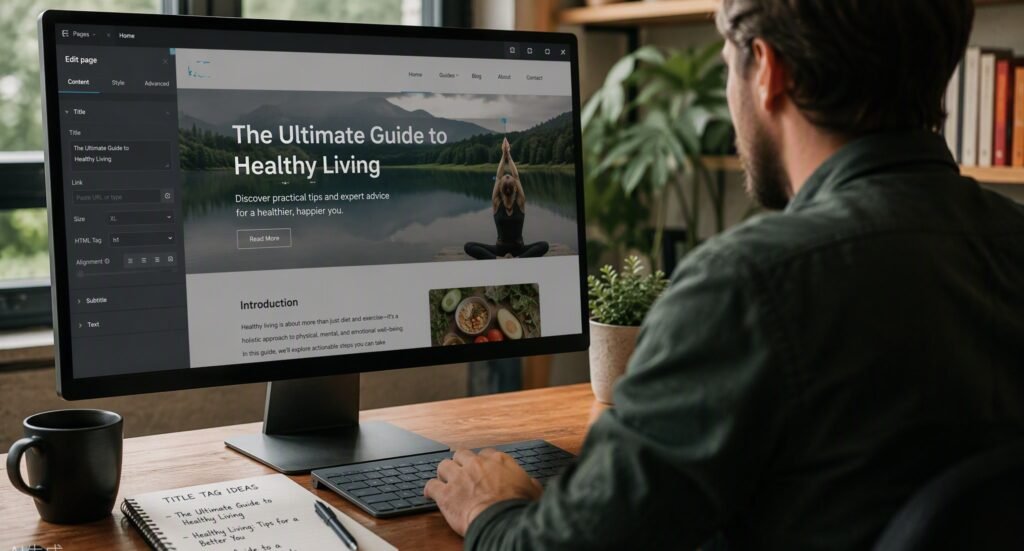
Top 8 Tips for On-Page SEO for Storage Facility Websites: Rank Higher, Rent More Units Quick Navigation: Win more clicks from Google: Title tags and meta descriptions that pre-sell your units Structure every page like a unit map: Headers, URLs, and content built around renter intent Turn photos into ranking assets: Image SEO, alt text, and local signals Fix the invisible stuff: Speed, mobile experience, and schema markup — or jump to the full technical SEO guide for self-storage sites or the schema markup guide with copy-paste JSON-LD Tie it all together: Internal linking that guides renters (and Google) to your rental page If you’ve ever searched “self storage near me” and watched the big REITs — Public Storage, CubeSmart, Extra Space — swallow the entire first page while your facility sits on page two, you’ve felt the sting of on-page SEO done wrong. Here’s the frustrating part: it’s usually not because they outspend you. It’s because every single page on their website is engineered to tell Google exactly what it is, who it’s for, and why it deserves to rank. Most independent storage websites can’t say the same. Generic SEO advice won’t fix this. Advice written for e-commerce stores or recipe blogs doesn’t account for your reality: hyper-local searches, a handful of high-intent keywords that drive rentals, and a website whose only job is converting searchers into tenants. On-page SEO for storage facility websites is its own discipline — and the good news is that most of it is completely within your control, no agency required. Think of on-page SEO like the signage and office layout of your physical facility. If your sign is faded, your gate hours are a mystery, and nobody can find the rental office, it doesn’t matter how nice your units are. Your website works the same way. Title tags are your roadside sign. Headers are your wayfinding. Content is your manager’s sales pitch. Let’s walk through the eight highest-impact fixes, one by one. If you’d rather hand the whole thing to a specialist, our self storage SEO service handles on-page optimization as part of a full-facility SEO program. 1. Write Title Tags That Win the Click Why? Your title tag is the single most influential on-page ranking factor — and your digital curb appeal in the search results. Here’s a scenario that plays out thousands of times a day: someone searches “climate controlled storage [your city],” sees ten blue links, and clicks one. Research shows that the top three organic results capture roughly 55% of all clicks — but a compelling title tag can pull clicks even from a lower position. If your homepage title tag says “Home | ABC Storage,” you’re invisible. Google doesn’t know what you offer, where you are, or who you serve — and neither does the searcher. The psychology is simple: searchers scan, they don’t read. They pattern-match for three things — the service, the location, and a reason to trust you. A title tag that hits all three wins the click. Here’s how to implement this: Follow the proven storage formula: [Primary Keyword] in [City, State] | [Benefit or Differentiator] | [Brand]. Example: Self Storage Units in Plano, TX | Climate Controlled & Secure | ABC Storage. Keep it under 60 characters so it doesn’t get truncated in search results. Count your characters, not your words. Give every page a unique title tag. Your homepage, unit sizes page, climate control page, RV/boat storage page, and contact page should each target a different keyword. Duplicate titles are one of the most common (and most fixable) errors on storage websites. Put the keyword first. “Storage Units in Plano, TX” beats “ABC Storage — Your Local Plano Storage Solution” every time, because Google weighs words at the front of the title more heavily. Match the title to the page’s actual intent. Your unit sizes page should say something like “Storage Unit Sizes & Prices in Plano, TX | 5×5 to 10×30 | ABC Storage.” Self Storage Pro Tip: Open an incognito window and search your money keywords (“storage units [your city]”). Screenshot the title tags of whoever ranks above you — including the REITs. You’ll instantly see the pattern: keyword, city, differentiator. Beat them with a more specific differentiator they can’t copy, like “Family-Owned Since 1998” or “$1 First Month.” Read more: [Link to: Self Storage Keyword Research: Terms That Drive Rentals] Want an expert to audit every title tag and meta description on your site? Our self storage SEO specialists run a free on-page audit as part of every initial review. Takeaway: Every page gets one unique, keyword-first, location-specific title tag under 60 characters — no exceptions. 2. Write Meta Descriptions That Pre-Sell the Unit Why? Meta descriptions don’t directly affect rankings, but they dramatically affect click-through rate — and Google notices when searchers consistently pick your result. Industry data suggests that a well-written meta description can lift click-through rates by 5–10% over an auto-generated snippet. Across hundreds of monthly searches, that’s the difference between rankings that produce rentals and rankings that produce nothing. Yet most storage websites either leave meta descriptions blank or stuff them with robotic keyword lists. Think of your meta description as the 30-second pitch your best manager gives when the phone rings. It answers: what do you have, where are you, and why rent from you right now? Here’s how to implement this: Stay between 140–160 characters. Shorter wastes space; longer gets cut off mid-sentence. Include the page’s primary keyword naturally — Google bolds matching terms, which draws the eye. Lead with benefits, back it with proof: “Clean, secure storage units in Plano with climate control, 24/7 access, and month-to-month leases. Family-owned for 25 years. See prices and move in online today.” End with a call to action: “Check availability,” “Rent online in 2 minutes,” “Get your first month free.” Urgency and clarity drive clicks. Write a unique description for every important page. If you can’t write one, prioritize: homepage, unit sizes/pricing, climate control,